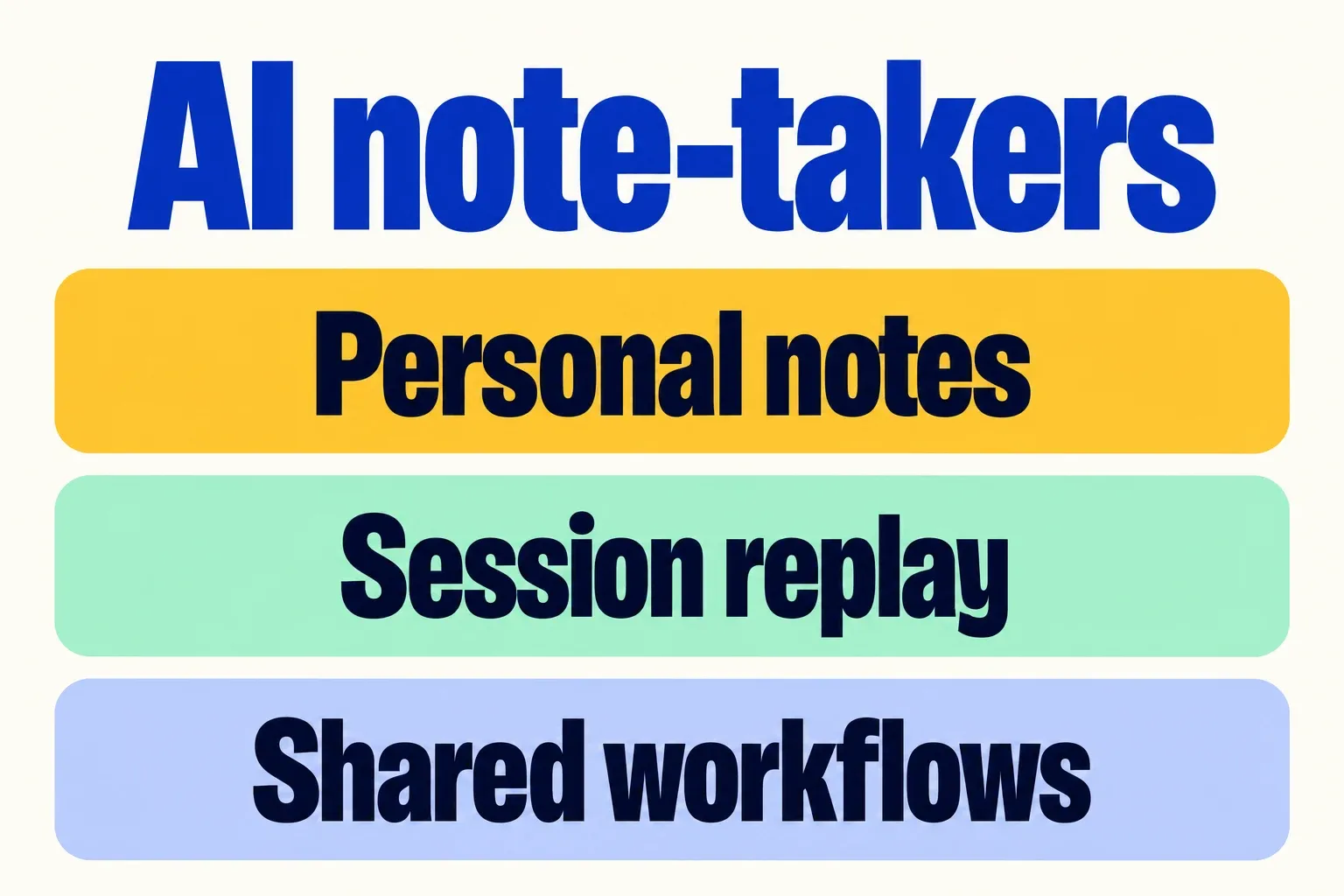
I compared eight AI note-takers with two different jobs in mind: keeping a useful record of a coaching conversation, and making conversations useful across a coaching or training business. Those jobs overlap, but they produce different winners.
Granola is my pick for a solo coach who wants to shape their own notes. Fathom offers the strongest free recording-and-replay package in this comparison. Fellow is my first choice for a coaching company standardizing agendas, notes and follow-through. For a sales training company building a library of examples, I favor tl;dv. Jamie, Fireflies, Otter and Krisp each have a clearer specialist reason to buy them, explained below.
What changed my recommendations was the combination of product documentation and customer reviews. A long feature list says little about a summary that assigns an action too confidently, a recording that is awkward to share, or a mobile app that works differently from its desktop counterpart. I looked for those distinctions, then assessed every vendor against the same 12 criteria.
AI note-takers at a glance
The paid plans below are the ones most relevant to the stated use case. Prices are per user per month, with the billing commitment shown. Dollar amounts are USD; Jamie and tl;dv are shown in the currencies displayed during my pricing review. Annual prices are monthly equivalents of an annual subscription. Promotional discounts are excluded.
| Tool | Best fit | Capture options | Useful paid-plan reference | Main trade-off |
|---|---|---|---|---|
| Granola | Personal notes enhanced by the conversation | Bot-free desktop and mobile | Business: $14/month | Basic history is limited; own model training has an opt-out |
| Fathom | Replaying sessions and retrieving specific moments | Meeting bot; phased bot-free Mac rollout; iOS for in-person capture | Premium: $16 annually or $20 monthly | Free advanced summaries are limited; own model training and workspace sharing need consideration |
| Jamie | Online and in-person notes with European processing | Bot-free desktop and mobile | Plus: €21 annually or €25 monthly | Plus allows 20 notes/month; audio is deleted after transcription |
| Fellow | Shared agendas, follow-through and organizational controls | Meeting bot, bot-free desktop and mobile | Business: $15 annually or $23 monthly | Team workflows need careful separation from confidential client records |
| tl;dv | Clips and timestamped session review | Online meeting recorder and mobile capture | Pro: £16 annually or £26 monthly | Free full summaries cover 10 meetings; Pro also limits multi-meeting AI |
| Fireflies | Search, integrations and operational follow-up | Meeting bot, desktop, mobile and uploads | Business: $19 annually or $29 monthly | Private channels need Business; AI credits have separate limits |
| Otter | Following and revisiting a live transcript | Meeting bot, bot-free desktop and mobile | Pro: $8.33 annually or $16.99 monthly | Pro has a 1,200-minute allowance; Otter describes using de-identified data for training |
| Krisp | Notes across calls with distracting background noise | Bot-free desktop and mobile | Core: $8 annually or $16 monthly | Notes use cloud services; unlimited meetings still come with storage limits |
The individual profiles link to the pricing and product documentation behind this comparison. For a quick decision, go to which tool I would shortlist.
What an AI note-taker actually adds to a coaching business
An AI note-taker turns a spoken conversation into material that can be revisited: a transcript, a shorter set of notes, an action list and, in some products, a replayable recording. Those outputs are related, but they serve different purposes. A transcript preserves the sequence of words. A summary selects what appears important. A recording preserves the delivery that text loses.
For coaching, I see the strongest value in continuity: what the client wanted to change, what they explored, and what they committed to between sessions. For a training company, the useful output may instead be a workshop debrief, a searchable client interview or a short example for a future learning activity.
That places the note-taker alongside several other systems:
- A CRM keeps the commercial relationship and its next actions. A meeting record can inform it; a transcript archive is not the same as a pipeline.
- An LMS organizes learning delivery, assignments and completion. A recorded example is material for a course, not the course itself.
- Coaching assessment interprets behavior against a defined standard. A fluent summary or talk-time chart does not, by itself, establish competence or progress.
- AI roleplay creates a practice conversation. A note-taker preserves a conversation that happened.
This is why my recommendations differ by business. The useful question is what the conversation needs to become afterward.
How I evaluated these AI note-takers
I reviewed product documentation, current plan limits and data-handling policies alongside customer accounts on G2, Capterra, TrustRadius and Trustpilot, and editorial comparisons where they added useful context. The research and pricing review were updated on October 31, 2026. Each vendor profile links the evidence behind its strengths and limitations.
I used reviews to understand where the software helps and where it causes friction; I used current vendor documentation to establish what it supports now. That distinction matters when an older complaint concerns a feature that has since shipped. I also separated complaints about billing or support from complaints about transcription. An incentive attached to a review, or a very small review sample, affects how much weight I give it.
My recommendations are judgments from that research. “Best for” describes the job a product fits particularly well; it is not a numerical accuracy ranking. I gave more weight to specific descriptions of a workflow than to a star rating or an unsupported claim that a tool saves everyone the same amount of time.
Why these eight tools made the shortlist
I chose software that could serve more than one stage of a coaching or training engagement: capturing the conversation, producing a useful record and retrieving or sharing it afterward. The shortlist deliberately spans personal notebooks, replay-focused products and shared team workflows. That makes it possible to compare different approaches to the same business problem instead of ranking eight nearly identical summaries.
This is a comparison of general-purpose meeting tools used in coaching and training. It does not rank dedicated recording hardware, full sales-intelligence suites or specialist competency-assessment products. Those involve different buying decisions. The built-in options from Zoom, Teams and Google Meet appear later in the guide, because a separate subscription needs to add something beyond the meeting platform a firm already uses.
The 12 criteria behind every verdict
The same criteria appear in every vendor profile. Their relative importance changes with the buyer: personal note-taking favors editing and continuity; a training business places more weight on reusable examples, shared processes and control across clients.
| Criterion | What I considered | Why it matters |
|---|---|---|
| Capture / in-person / device | Meeting bots, desktop audio, room recording and device coverage | A useful tool follows the work from online sessions to client offices and workshops. |
| Reliability / offline | Recording interruptions, missed capture and documented connection requirements | A missing conversation is a more serious failure than an untidy summary. |
| Transcription / speakers | Reviewer reports about names, accents, overlapping voices and attribution | A group workshop places greater demands on speaker separation than a one-to-one call. |
| Summary quality / editing | Useful detail, invented certainty, editable notes and supporting timestamps | Decisions, suggestions and unresolved questions need to remain distinct. |
| Languages | Supported languages, language switching and differences between capture modes | International delivery needs more than an English-first summary workflow. |
| Templates / training workflows | Custom note structures, repeatable agendas and follow-through | Repeated programs benefit from consistent records without forcing every session into sales-call headings. |
| Replay / clips / learning reuse | Audio, video, excerpts and shareable collections | Trainers can reuse an agreed example; a text summary cannot preserve delivery or tone. |
| Search across sessions | Retrieval across meetings, folders and source-linked answers | Coaching engagements and training programs extend beyond a single conversation. |
| Client separation / admin / sharing | Access boundaries, workspace policies and control of recipients | Sharing a process across a firm is different from sharing every client’s record. |
| Data use / location / retention | Model-training terms, processing regions and what remains stored | These affect which client requirements the tool can meet. |
| Integrations / export | CRM connections, automation and portable records | A useful summary needs to reach the system where the team actually works. |
| Scale / pricing | Minutes, session length, storage, seat costs and feature gates | The cheapest plan may cover individual notes but not a firm’s delivery workflow. |
I have not treated meeting talk-time statistics as evidence of improved coaching or training outcomes. Their useful role here is helping someone find and discuss an exchange. The ability to capture a workshop also does not imply reliable identification of every participant in a busy room; the speaker-attribution evidence below is part of each assessment.
Which tools can record in-person meetings?
All eight tools offer a way to capture a face-to-face conversation. You do not need to create a video meeting just to record two people in a room. The differences are the device you can use, what remains afterward, and what happens if the connection or recording is interrupted.
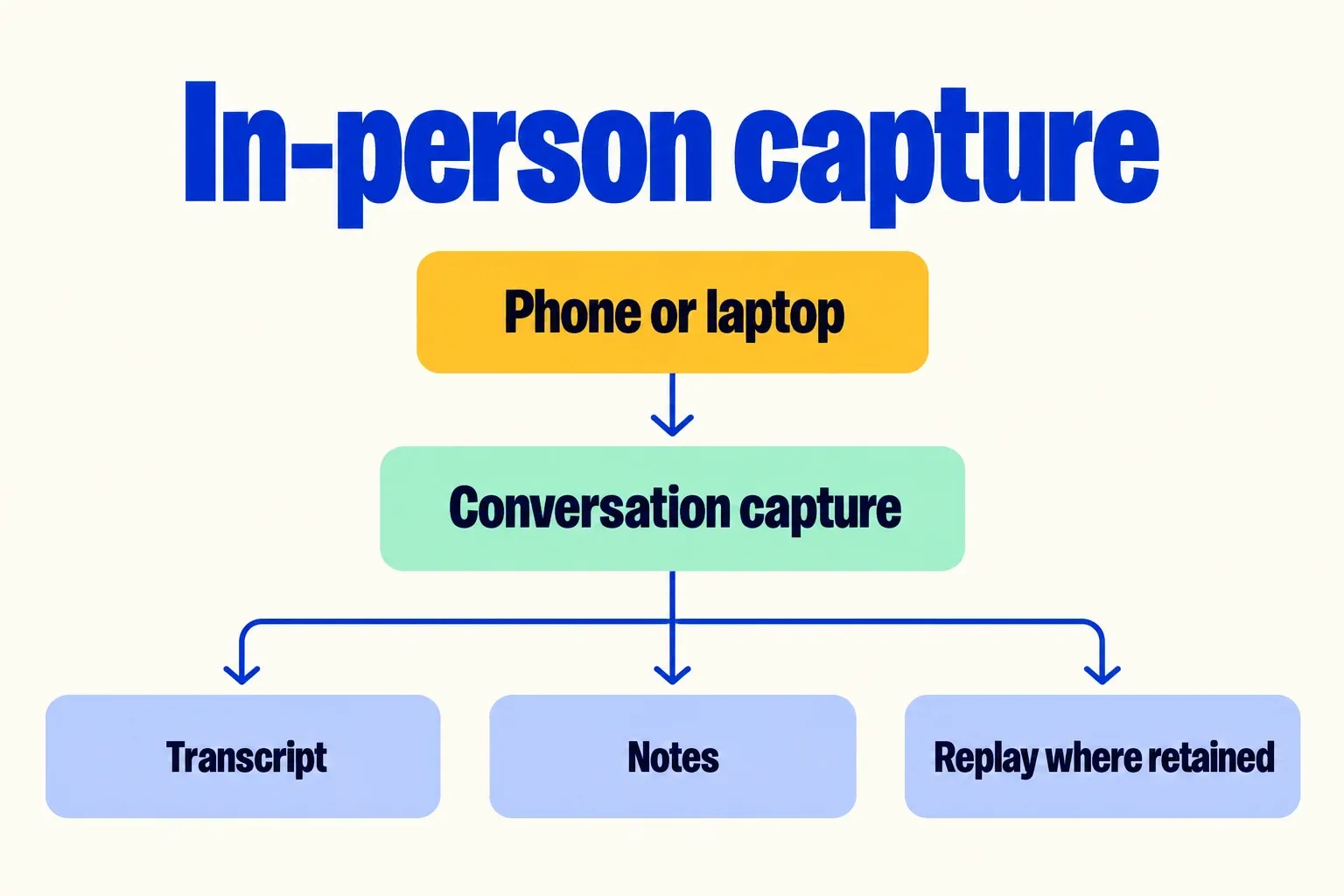
| Tool | In-person setup | Practical strength or limitation |
|---|---|---|
| Granola | iPhone or Android for face-to-face capture; notes sync with desktop | The useful record is notes and a transcript, rather than an audio library. Android capture is for in-person conversations, not phone or video calls. Mobile support |
| Fathom | iPhone microphone; available across pricing plans | Creates a recording, transcript, summary and action items. Its mobile app requires internet access and does not record phone calls. iOS recording |
| Jamie | Laptop or phone; downloads for Mac, Windows and iPhone | Suits a notes-and-transcript workflow. It does not retain audio for playback. Devices and in-person capture |
| Fellow | iOS or Android app for recording in the room | Produces a recording, transcript, summary and action items. Access follows workspace recording permissions. Recording methods |
| tl;dv | iOS or Android, including offline capture | Uploads when connected for processing. Each recording has a three-hour limit, with up to five offline recordings pending upload. Mobile recording limits |
| Fireflies | iOS or Android app with manual recording | Saves the meeting to its Notebook for processing. Desktop Take Notes mode, unlike a retained recording, does not keep an audio file. Mobile recording, supported devices |
| Otter | iOS, Android or a computer browser using a microphone | Supports audio playback; live transcription needs an internet connection. In-person setup |
| Krisp | iOS or Android phone or tablet | Records and transcribes in-person meetings, but mobile does not include desktop noise cancellation. Mobile capabilities |
Offline capture is not the same as offline processing. tl;dv explicitly supports recording without a connection, then uploading for transcription. Otter documents continuing to cache audio during a network interruption; it asks you to keep the app or browser open until the upload finishes. Neither workflow means the resulting notes are processed entirely on your device. Otter connection-loss behavior.
1. Granola — best for coaches who want to shape their own notes
My assessment: Granola is my strongest fit here for a coach who wants a personal working notebook. Its useful distinction is that your own observations can shape the finished notes. I also see a fit for facilitator interviews and program debriefs. Its lack of retained audio rules it out as a sales training recording library.
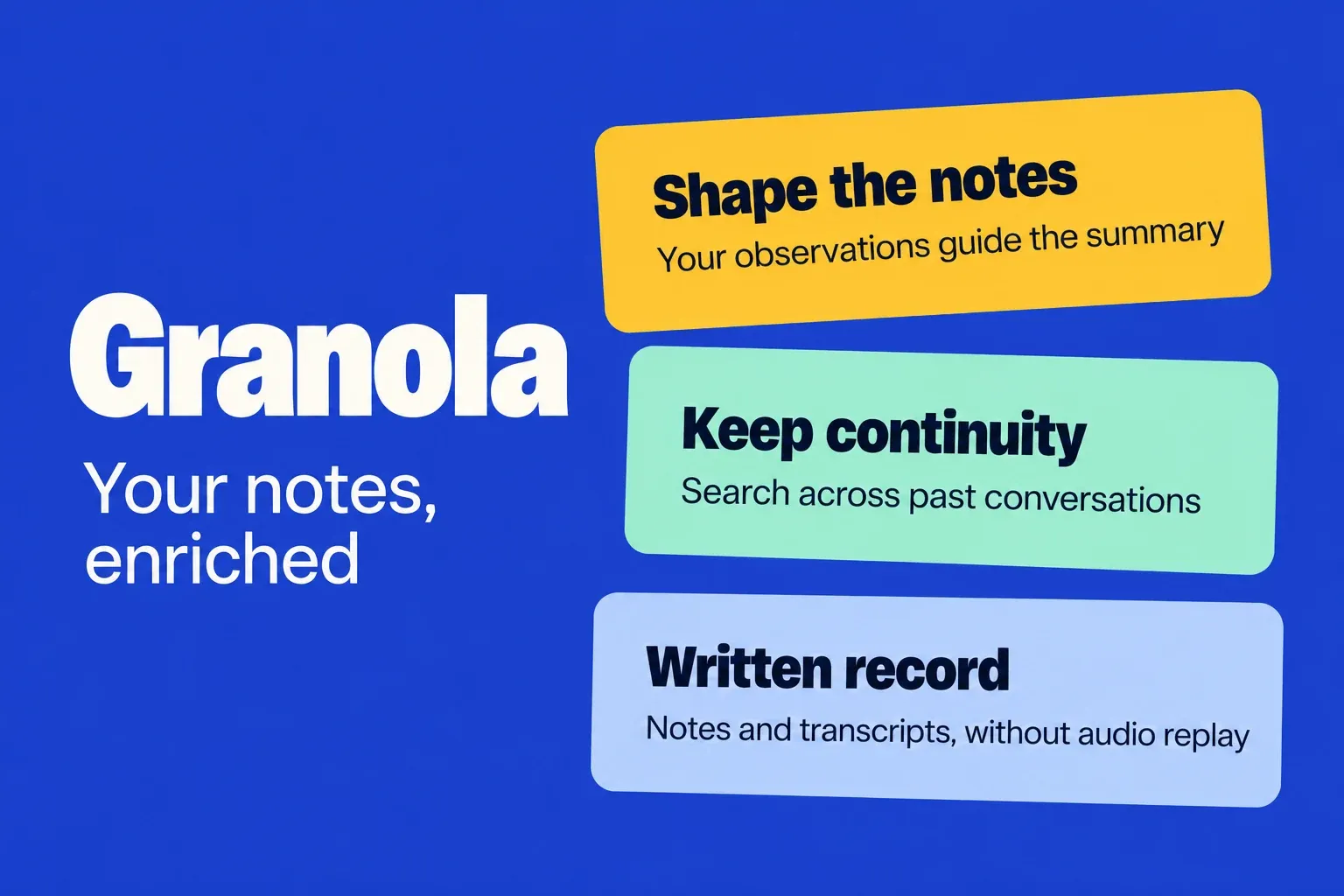
The review evidence supports that positioning. October 2026 G2 reviewers praised organized notes and retrieval, while reporting accent errors and weaker iPhone editing; those examples were incentivized G2 invitations. Separately, an App Store reviewer liked search but wanted better organization for a growing archive. I read this as a strong personal-notes workflow with limits once the library becomes large or the conversation complicated. G2, App Store.
Where Granola fits
Granola makes the most sense when the coach wants to remain the author of the working record. A leadership conversation can spend forty minutes on a reorganization but turn on one sentence about a difficult relationship. My preference for Granola comes from giving the coach’s observations a place alongside the transcript, rather than treating the longest topic as the most important one.
That makes it appealing for stakeholder interviews and facilitator debriefs as well as one-to-one coaching. The output I would value is a concise account of themes, unresolved questions and commitments that supports the next conversation. I favor Jamie when European meeting-data processing carries more weight, and Fathom when the original delivery needs to be heard again. A larger coaching firm faces a different decision: several good personal notebooks do not automatically create a consistent company record. Granola’s strongest case remains the individual professional’s thinking and recall.
Pros: A useful place for the coach’s own thinking, flexible notes and retrieval, straightforward paid pricing. Cons: No replay library, narrower mobile language coverage, and stronger company-wide controls behind Enterprise.
| Criterion | My assessment of Granola |
|---|---|
| Capture / in-person / device | Bot-free Mac/Windows capture; mobile supports face-to-face conversations. Android does not capture phone/video calls. capture/data handling, Android capture. |
| Reliability / offline | Cloud processing is required for transcription and summaries. Offline viewing is available; that is not offline transcription. Capture is manually started. capture/data handling. |
| Transcription / speakers | Speaker tags are supported. The accent and overlapping-speech complaints mean I rate clean one-to-ones above crowded workshops. |
| Summary quality / editing | Personal notes guide the AI output; this suits a coach who adds their own observations during the conversation. |
| Languages | Desktop supports 31 languages and switching within meetings; mobile supports 17 and chooses a single language. International delivery differs by device. language differences. |
| Templates / training workflows | Custom templates can standardize debriefs and action plans. The structure can follow the coach’s own methodology. plans. |
| Replay / clips / learning reuse | No retained meeting audio to replay or turn into demonstration clips. Its reusable asset is the written account. capture/data handling. |
| Search across sessions | Cross-meeting AI chat supports preparation and finding commitments; the free history window limits long-running client work. plans. |
| Client separation / admin / sharing | Private notes and shared folders support controlled collaboration. Organization-wide sharing, retention and training policies require Enterprise. plans, capture/data handling. |
| Data use / location / retention | US-hosted notes/transcripts. Granola’s own anonymized-data training is opt-out; providers cannot train. Enterprise turns training off by default. capture/data handling. |
| Integrations / export | Business adds Notion, HubSpot, Zapier, API and other connections; a full data export can be requested. plans. |
| Scale / pricing | Free: 30-day history. Business: $14/user/month with unlimited history. Enterprise: $35/user/month; the SSO FAQ specifies 50+ users. plans. |
2. Fathom — best for free recording and replay
I put Fathom near the top for independent coaches because recording and replay are useful before a team needs advanced administration. Its free offering makes it easier to justify for occasional supervision or presentation feedback.
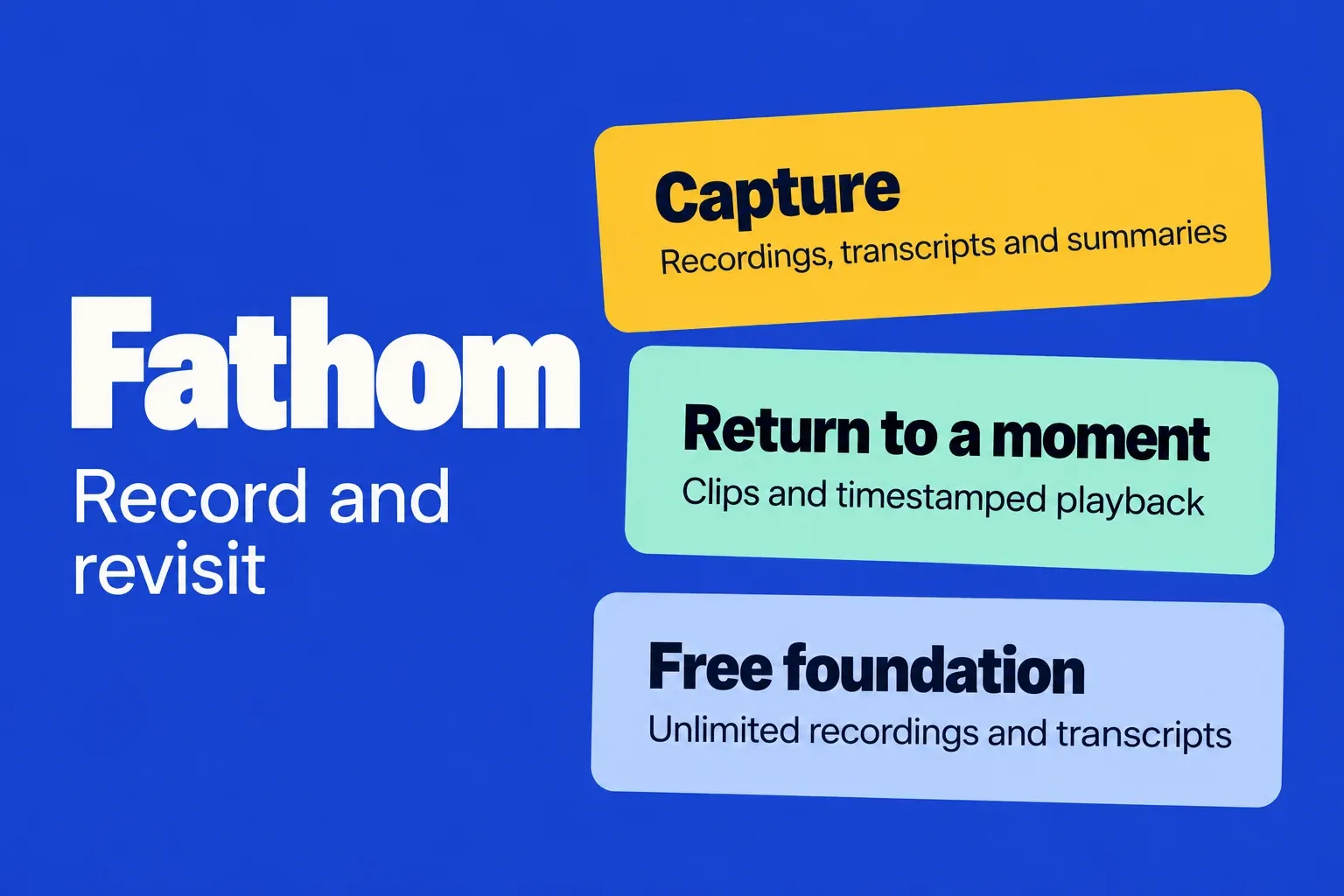
The review evidence supports that distinction. On G2, CEO Maj. Nalini Jain M. described spending less time separating actions and timelines and more time participating; a construction-sector reviewer valued the transcript but reported Teams admission warnings and unreliable sharing. Both reviews were dated October 28, 2026 and labeled organic. On Capterra, Kwesi R. described using highlights to review staff presentations; Rachel R. reported access-sharing bugs. Those are useful examples of training reuse and delivery friction, not proof that every account behaves the same way. G2 reviews, Capterra reviews
Where Fathom fits
Fathom is the strongest starting point here for a coach who wants to revisit the conversation itself. For presentation feedback, an extract of a hesitant opening or an unclear answer gives the discussion a concrete reference. A polished recap may capture the topic while losing the delivery that made the moment useful. That is the reason I rate its replay proposition above a notes-only product for this kind of work.
For a small training business, the value grows when a session produces a few useful examples rather than a long recording nobody revisits. I prefer tl;dv when collecting and comparing those examples becomes a recurring part of delivery; I prefer Granola when the coach mainly wants a personal notebook. Fathom’s broader team features are relevant to a growing firm, but my recommendation starts with the simplest job it does well: preserving a conversation that merits a second look.
Pros: substantial free capture and recap; clips make feedback specific; increasingly flexible capture modes. Cons: mobile recording needs connectivity; bot-free desktop availability remains uneven; organizational sharing and model-training settings require a deliberate firm-wide policy.
| Criterion | My assessment |
|---|---|
| Capture / in-person / device | Online meetings can retain audio/video through the meeting bot. Fathom 3.0 adds phased Mac bot-free audio and transcript-only modes; Windows remains a limited Teams alpha. The iPhone app records in-person conversations; there is no Android app. Capture modes, iPhone recording |
| Reliability / offline | The iPhone app requires internet even for capture, which rules it out for disconnected workshop venues. G2 also contains reports of launching/joining friction. iPhone recording, G2 reviews |
| Transcription / speakers | Mobile voice recognition identifies the account holder when enabled; other people can remain unnamed. That makes multi-person workshop attribution less dependable than a simple one-to-one record. iPhone recording |
| Summary quality / editing | Reviewers value action-oriented recaps. Live summaries and scratch-pad notes also support the written record. G2 reviews, Capture modes |
| Languages | Bot-free 3.0 supports English plus 19 languages, with multilingual access phased by account. Language availability therefore differs by capture mode and account. Capture modes |
| Templates / training workflows | Paid summary formats and Business AI scorecards support repeatable sales-call reviews. Plans and features |
| Replay / clips / learning reuse | Clips and playlists organize selected exchanges. Video requires a video-recording mode. Plans and features, Capture modes |
| Search across sessions | Account-wide Ask Fathom adds retrieval across meeting history; Team includes global team search. This is useful for finding earlier commitments as a coaching engagement grows. Capture modes, Plans and features |
| Client separation / admin / sharing | Workspace policies govern meeting visibility. A scratch-pad @mention grants call access to the tagged person, including external recipients. Sharing policies, Scratch-pad access |
| Data use / location / retention | Storage is in the US. AI subprocessors cannot train on customer data, but Fathom uses de-identified data for its own models unless the user or organization opts out. Account deletion removes backup data after seven additional days. Security and data use |
| Integrations / export | Business adds advanced CRM field syncing; other connections include Slack and Zapier. Plans and features |
| Scale / pricing | Premium: $16 annually/$20 monthly. Team: $15/$19; Business: $25/$34, both with two-seat minimums. Plans and features |
3. Jamie — best for a European notes-focused workflow
My assessment: Jamie is a strong choice for coaching and training firms that want detailed written records, European processing and no permanent audio library. I favor it for client interviews, multilingual coaching and leadership-program debriefs. Its value is in reconstructing decisions and follow-up work. It is a weaker choice when learning depends on hearing the original exchange again.
I found useful agreement and disagreement in the reviews. Organic G2 reviewers praised summary structure and in-person speaker assignment, but others described attribution problems and occasional recording failures. October 2026 Trustpilot feedback praised accents and recurring speaker recognition; another reviewer liked the output yet reported recovery incidents and one lost transcript. That supports a positive verdict on documentation quality without pretending reliability is flawless. These are individual reports, not a measured error rate. G2, Trustpilot.
Where Jamie fits
Jamie is most persuasive when the finished product is a useful written record. A leadership training provider may need a consistent account of sponsor interviews, facilitator debriefs and cohort discussions without building a permanent audio library. Those conversations have different purposes, and Jamie’s custom sections allow their notes to follow different structures. Custom note templates.
That distinction also explains where I put it relative to Granola. Granola’s strongest appeal is the coach’s own working notebook; Jamie’s is a structured account that can support repeatable documentation across a program. Its European processing arrangement adds a separate reason to shortlist it. For sales training, however, a written account of an objection is not equivalent to hearing how the rep responded. I would choose Fathom or tl;dv when delivery, timing and tone are central to the training material. Jamie is a better match when the enduring asset is the record of the discussion.
Pros: Strong written-summary feedback, flexible multilingual capture and a stated European meeting-data processing footprint. Cons: No audio replay, reported reliability incidents and meaningful meeting caps below Pro.
| Criterion | My assessment of Jamie |
|---|---|
| Capture / in-person / device | Mac/Windows microphone and system-audio capture plus iPhone for face-to-face meetings; no meeting bot required. product features. |
| Reliability / offline | Offline audio capture is processed after reconnection. Auto-start/countdown and auto-stop arrived in August 2026; recent reviews still describe occasional missing meeting data. offline capture, autopilot. |
| Transcription / speakers | Speaker assignment and optional remembered voices support recurring clients. Reviews are less convincing for unexpected participants in larger groups. |
| Summary quality / editing | Editable notes separate discussion, decisions and tasks; reviewers particularly liked how little restructuring their summaries needed. |
| Languages | Vendor documents 100+ languages and mixed-language conversations; user feedback supports some multilingual use, not every language. product features. |
| Templates / training workflows | Custom sections support repeatable interview, coaching and debrief records. That gives repeated programs a consistent written record. templates. |
| Replay / clips / learning reuse | Temporary audio is deleted after transcription. Written summaries can become action plans, but there is no retained recording library for demonstrations. DPA. |
| Search across sessions | Ask AI searches meeting history, useful for revisiting commitments and themes across a program. product features. |
| Client separation / admin / sharing | Notes are private by default. Enterprise permissions govern sharing, export, transcripts, AI and integrations with an audit log. Enterprise controls. |
| Data use / location / retention | Jamie states meeting data stays in EEA, Switzerland and UK; its DPA lists US/global ancillary subprocessors. No model training by Jamie/providers; retention controls and optional Speaker Memory voiceprints. security, DPA. |
| Integrations / export | Document destinations include Google Docs, Notion and OneNote; Pro+ adds CRM destinations. This suits follow-up documentation across a small firm. product features. |
| Scale / pricing | Free: 10 notes/month with a 30-minute cap. Plus: €21/month annually or €25 monthly for 20 notes, two hours each. Pro: €39 annually or €47 monthly for unlimited notes, five hours each. pricing. |
4. Fellow — best for coaching firms with shared workflows
I rate Fellow most highly when several coaches or facilitators need a shared way to prepare sessions, capture decisions, and carry commitments into the next conversation. Its advantage is the connection between agendas, notes, and follow-up. That makes it a stronger organizational choice than its transcription feature list alone suggests.
The independent feedback supports that distinction. Lauren H.’s August G2 review praises having the agenda inside Google Meet; Jas N. says clients can revisit training sessions, but also reports slow summaries and occasional missing recordings. On TrustRadius, Hillevi Pettersson values the history and action checklist while asking for better offline capability. Her review was incentivized. I see convincing evidence for session continuity, with less confidence in unattended capture reliability. G2, TrustRadius.
Where Fellow fits
Fellow earns its place when a coaching or leadership program is a sequence of connected conversations. The value is cumulative: preparation gives the session a structure, actions carry commitments forward, and the history gives the next facilitator or coach useful context where access is appropriate. Its ability to export a whole meeting series also gives the firm a practical record of an engagement. Series export.
I see a particularly good fit for a provider coordinating several facilitators around the same delivery process. Consistency here means everyone records the important outcomes in a recognizable way; it does not mean everyone receives every client’s notes. Compared with Fireflies, I favor Fellow when preparation and follow-through are the main problem. Compared with tl;dv, I favor it when the program needs a shared working rhythm more than a library of examples. A solo coach with a simpler routine gets less of that organizational advantage.
Pros: collaborative preparation; repeatable note structures; searchable session history; clips and action tracking; clear no-training commitment.
Cons: reviewer reports of missing recordings; meaningful templates and governance sit on higher plans; notes and recordings have separate sharing behavior; no demonstrated offline advantage.
| Criterion | My assessment |
|---|---|
| Capture / in-person / device | Bot-based meetings, botless Mac/Windows capture, mobile room recording, and file uploads cover mixed delivery. That makes it flexible across online sessions and client offices. Recording methods. |
| Reliability / offline | Fellow is a weaker choice for connectivity-poor venues. Current user reports include missing recordings; the reviewed documentation does not establish a fully offline workflow. |
| Transcription / speakers | Custom vocabulary and optional voice matching address organization-specific terms and shared microphones. That is useful for recurring clients and specialist training vocabulary. Glossary. |
| Summary quality / editing | Structured recaps connect decisions and actions with source timestamps. This is useful for tracing a coaching commitment back to its context. AI note templates. |
| Languages | Broad multilingual coverage supports international delivery. Language availability is stronger than Otter’s six-language range. Current AI feature documentation. |
| Templates / training workflows | Collaborative agendas plus organization-wide templates favor recurring leadership programs and multi-coach consistency. Business is the practical tier for standardized AI notes. Pricing. |
| Replay / clips / learning reuse | Video clips can be selected by time or topic and shared with controlled access. Useful for facilitator supervision and curated examples. Clips. |
| Search across sessions | Ask Fellow searches meeting history; recording filters include attendees, company, and date. This gives a coaching firm useful continuity across a client engagement. AI features. |
| Client separation / admin / sharing | Recording channels have member access; sharing a recording does not automatically share collaborative notes. Client-facing delivery therefore has separate controls for the recording and the notes. Channels. |
| Data use / location / retention | Fellow says it does not train on meeting data. Infrastructure is AWS Canada Central; backups last 30 days. Admin retention controls distinguish recordings from transcripts/AI notes. Security, Workspace settings. |
| Integrations / export | Word exports can cover an entire meeting series, useful for engagement records; CRM and project integrations support follow-through. Word export. |
| Scale / pricing | Team is $7 annually/$11 monthly but limited to 10 AI notes a month. Business is $15/$23 with unlimited notes and organization templates. Enterprise starts at 10 users, $25 annually. Pricing. |
5. tl;dv — best for reviewing selected moments
I see tl;dv as a conversation library for training teams, with more value in finding patterns and extracting examples than in simply producing a recap. A sales-training company can connect those records to playbooks and CRM workflows; a leadership-training provider can use templates and excerpts to organize debriefs. That gives the product a stronger training use case than a recap alone.
The independent reviews are useful precisely because they are mixed. A financial-planning agent’s organic G2 review, dated September 21, 2026, praised actionable summaries but found mobile features and file import limited. TrustRadius reviewer Elen Kuklina praised transcript/video quality and external uploads while reporting occasional bot-entry conflicts; an international channel-sales leader described using speaker insights to train a 15-person team, but also reported overlong recordings and language weaknesses. Those October 2025 TrustRadius reviews were incentivized. Trustpilot’s much smaller, self-selected sample contains account-access and slow-support complaints; I treat those as an operational concern, not a measured failure rate. G2 reviews, TrustRadius reviews, Trustpilot reviews
Where tl;dv fits
tl;dv has the strongest training-library proposition in my shortlist. Consider the difference between filing ten discovery calls and bringing together a few useful exchanges about how the buyer described the problem. The second creates material for a focused training discussion. That is where clips, reels and structured notes matter more than another attractive meeting summary.
Its template rules strengthen that case: different kinds of sessions can receive different note structures automatically, which is relevant when a provider runs discovery reviews, coaching conversations and program debriefs. Meeting templates. I favor Fathom for a smaller operation that mainly needs replay and occasional extracts, and Fireflies when retrieving client history and connecting it to business systems carries more weight. tl;dv becomes more compelling as reuse becomes routine. The limits on recurring multi-meeting AI analysis and bulk transcript export matter precisely because its strongest users are likely to build a substantial library.
Pros: strong reuse through clips and reels; flexible template structures; offline in-person capture on both major phone platforms. Cons: free storage and AI limits restrict ongoing training use; mobile is primarily a recorder; bot admission and account-support friction appear in reviews.
| Criterion | My assessment |
|---|---|
| Capture / in-person / device | Zoom, Meet and Teams recordings sit alongside audio captured with iOS or Android. The mobile app is for recording; completed transcripts and notes are accessed through the web app. Mobile recording, Language and sharing settings |
| Reliability / offline | Mobile keeps up to five pending recordings offline, with a three-hour recording limit. Phone calls can interrupt capture. Separately, free online recordings receive lower priority during server surges. Mobile recording, Free-plan limits |
| Transcription / speakers | Online transcripts identify speakers. Business’s custom dictionary supports up to 1,000 terms, useful for a training methodology’s vocabulary; this is not a guarantee of correct names or room-speaker attribution. Speaker identification, Custom vocabulary |
| Summary quality / editing | Topic summaries link back to moments in the recording, and editable notes keep the written output usable. This is more useful for debriefs than an untraceable paragraph, although reviewers still report language and capture weaknesses. AI notes, Mobile recording, TrustRadius reviews |
| Languages | Mixed-language transcription requires the Whisper model on Business or Enterprise. Selecting a transcript language does not translate the conversation into that language. Language and sharing settings |
| Templates / training workflows | Custom sections can standardize a session structure and apply automatically by meeting criteria. For a coaching firm, that supports consistent commitments and follow-up; for sales training, it supports a defined conversation methodology. Templates |
| Replay / clips / learning reuse | Transcript selections become clips; multiple clips can become a reel. Clip links are viewable by anyone holding the link, which materially differs from restricted meeting access. Clips and reels |
| Search across sessions | Transcript search jumps to exact moments. Native AI querying can analyze multiple meetings, but Free and Pro include only ten such requests lifetime. That makes Business more relevant for recurring program analysis. Transcript search, Multi-meeting AI limits |
| Client separation / admin / sharing | Per-meeting access can be restricted to named people, with viewer/editor/admin roles. Organization-wide sharing follows email domains; automated publishing is a distinct control from sending summary emails. Meeting sharing, Language and sharing settings |
| Data use / location / retention | tl;dv states no customer-data model training, European storage, and selectable European or US AI hosting. Free recordings are retained for three months; Pro retains recordings while the subscription remains active. Security, Retention |
| Integrations / export | API access on paid plans supports transcript/notes retrieval, but follows the meeting organizer’s plan. The normal interface has no bulk transcript export—a material limitation for a firm’s complete client archive. API access, Transcript exports |
| Scale / pricing | Pro is £16/user/month annually or £26 monthly. Pricing. Weekly caps are 40/80/120 recordings for Free/Pro/Business, with 1/2/3 simultaneous meetings; seats are intended for individuals. Free has ten full AI summaries lifetime, then only the opening ten minutes. Usage limits, Free-plan limits |
6. Fireflies — best for a searchable meeting archive
I see Fireflies as a stronger choice for a coaching or training company than a simple “automatic meeting notes” description implies. Its combination of searchable conversations, structured outputs, integrations, soundbites, and playlists can turn sessions into an operational archive and a reusable teaching resource.
The most relevant review I found comes from coaching-company founder Javier Casillas: he uses past calls to maintain client continuity and produce action plans, but wants easier CRM integration. Consultant Zahra Miller reports better results when online participants have separate devices than when an in-person group shares one microphone. Her TrustRadius review is incentivized. In an incentivized G2 review, Samantha V. praises retrieval and workflow automation but describes tentative discussion being promoted into firm action items. That gives me a clear verdict: strong on organization and reuse, weaker as an unquestioned record of precisely who committed to what. Casillas, Miller, G2.
Where Fireflies fits
Fireflies makes the strongest case when a firm’s problem is retrieving useful context from many conversations. A client engagement may involve an initial brief, sponsor discussions, delivery meetings and follow-up calls. Its channels and channel-scoped AskFred questions give those related records a practical home, rather than leaving the team to search an undifferentiated archive. Meeting library and channels.
For a coaching company, I see the value in continuity between conversations; for a sales training company, in connecting a call archive to ongoing client work. I prefer Fellow when the central need is a shared preparation and follow-through process, and tl;dv when selecting teaching examples is the main activity. Fireflies is also the clearest example of why an articulate summary is not automatically a precise account: the review evidence about tentative discussion becoming definite actions directly affects its usefulness for client follow-up. My positive verdict rests on retrieval and organization, with that summary-quality weakness carried into the decision.
Pros: client-history retrieval and integrations; downloadable clips and playlists; broad language coverage; practical client-sharing controls on Business.
Cons: shared-room speaker attribution is a reported weakness; summaries can overstate commitments; private channels require Business; AI-credit costs sit alongside seats and storage.
| Criterion | My assessment |
|---|---|
| Capture / in-person / device | Meeting bot, desktop capture, mobile recorder, and uploads accommodate remote coaching and classroom sessions. Mobile recording starts manually. Mobile app. |
| Reliability / offline | The guide uses “offline meetings” to mean in-person meetings; that does not establish internet-free processing. Miller also reports interruptions/device switching as limitations. In-person guide. |
| Transcription / speakers | Editable transcript/speaker labels help corrections. Shared-microphone workshops are a weaker case than individually connected speakers in the review evidence. Post-meeting controls. |
| Summary quality / editing | Summaries are editable and can be regenerated. My concern is semantic: a polished action list can make tentative language sound agreed. This limits its use as an automatic client commitment record. |
| Languages | Official docs list 100+ transcription languages and 60+ within Multi-Language Mode. The latter is a Business/Enterprise beta feature, a meaningful distinction for multilingual cohorts. Languages, Mixed-language mode. |
| Templates / training workflows | AI Skills and structured outputs can standardize session follow-ups and move actions into operating tools. This reduces the gap between the session recap and the team’s follow-up work. Settings and credits. |
| Replay / clips / learning reuse | Soundbites export as MP3/MP4 and combine into playlists. That is useful for sales-call examples or facilitator development. Playlists currently play in insertion order, without manual reordering. Soundbites, Playlists. |
| Search across sessions | Global search plus channels support retrieval across a client engagement; AskFred adds questions over meeting content. This is a core buying reason for a growing practice. Meeting library. |
| Client separation / admin / sharing | Private channels require Business. Business/Enterprise add password-protected external links with expiry. Only meeting owners can delete meetings, a material limitation for centralized client offboarding. Admin controls. |
| Data use / location / retention | Fireflies says no training by default; provider zero-retention does not mean Fireflies deletes the account archive. Private storage and custom retention are Enterprise features. Security, Pricing. |
| Integrations / export | Paid downloads and integrations support client handovers and CRM workflows. Practitioner feedback says breadth does not eliminate setup friction. Pricing. |
| Scale / pricing | Pro is $10 annually/$18 monthly; Business $19/$29 adds the private-channel model a multi-client company needs. Business includes unlimited storage; AI credits remain separately limited. Pricing. |
7. Otter — best for live transcription
I rate Otter most highly when the words on screen matter during the conversation: interviews, stakeholder discussions, coaching sessions, or a lecture where someone needs to follow and revisit the language. Its live transcript is the center of the experience. The deeper I looked, the less persuasive it became as a default recommendation for every training company.
In an incentivized G2 review, Fathema A. praises automatic documentation but reports errors with background noise and several speakers. HR consultant Hawa L. describes speaker labels splitting one person into two. Yet Tom Adeney’s October Trustpilot review explicitly praises recognition of different speakers. I read that disagreement as context dependence, not proof that one group is wrong. Trustpilot’s recent page also contains many positive billing-support reviews; those ratings should not be mistaken for evidence of transcript quality. G2, Trustpilot.
Where Otter fits
Otter is easier to recommend when a buyer can name a use for the live transcript. A stakeholder interview, a detailed briefing or a terminology-heavy workshop creates a different need from simply receiving an email recap. In those settings, the visible conversation record is the feature that gives Otter its purpose. Its templates then let a firm organize the resulting summary for a recurring meeting type. Meeting templates.
I would give it less priority when the firm’s main output is video-based feedback, or when international delivery extends beyond its supported languages. Fathom and tl;dv make a stronger case for reviewing delivery; Jamie is a stronger alternative when the written record and European processing arrangement drive the choice. For a coaching company, Otter’s channel membership and own-model training terms also carry more weight than a solo user’s preference for live text. It is a good specialist option here, rather than my broadest company-wide recommendation.
Pros: live readable transcript; mobile room capture; source audio and exports; custom meeting templates; useful cross-session querying.
Cons: reported overlap/speaker-label errors; six transcription languages; restrictive Pro session length; stronger controls and video replay at Enterprise; own-model training policy differs from no-training competitors.
| Criterion | My assessment |
|---|---|
| Capture / in-person / device | Mobile/web microphone recording, calendar bot, desktop capture, and imports cover different settings. In-person recording is supported without a meeting link. In-person recording. |
| Reliability / offline | Otter recommends an internet connection. If interrupted, cached audio may upload when connection returns while the app remains open; that is not a complete offline transcription product. In-person guidance. |
| Transcription / speakers | Live transcript, speaker labels, and custom vocabulary are useful. Review evidence makes me less confident about fast, overlapping workshop discussion than orderly interviews. Pricing features. |
| Summary quality / editing | Summaries and structured insights speed up documentation. Editable insights and regeneration support a coach’s chosen output format. Meeting templates. |
| Languages | English, Spanish, French, German, Japanese, and Simplified Chinese. This narrower range is a meaningful disadvantage for international training companies. Language documentation. |
| Templates / training workflows | Custom meeting types can structure summaries and insights, with individual and workspace templates. Available across plans, but usage limits and capability vary. Useful for repeatable debriefs across facilitators. Templates. |
| Replay / clips / learning reuse | Audio replay and timestamped transcript favor reviewing what was said. Video replay for Zoom/Meet is listed at Enterprise; Otter is a less straightforward low-cost visual learning library. Pricing. |
| Search across sessions | AI Chat can query conversations grouped in a channel. A client-specific channel provides a coherent source set for engagement recall. Channels. |
| Client separation / admin / sharing | Private channels are invitation-only, but any channel member can invite others, who inherit access to its conversations. That is weaker than owner-controlled client boundaries. Enterprise adds organization controls. Channels, Enterprise controls. |
| Data use / location / retention | Otter says de-identified user data trains its own models. That differs materially from a no-training commitment. Hosting is in the US; Enterprise has custom retention controls. Privacy/security, Hosting. |
| Integrations / export | Paid plans add DOCX/PDF/SRT and audio exports; Business adds bulk export. Salesforce/HubSpot template mapping supports sales workflows, with plan/user limits. Exports, HubSpot. |
| Scale / pricing | Pro is $8.33 annually/$16.99 monthly, with 90-minute sessions. Business is $19.99 annually and supports four-hour sessions. Long workshops therefore change the relevant plan immediately. Pricing. |
8. Krisp — best for notes and noise cancellation together
My assessment: Krisp earns its place when sounding clear during the conversation matters as much as the notes afterward. That is a practical advantage for independent coaches and distributed training teams working from noisy locations. It also has more learning-reuse capability than its noise-cancellation reputation suggests: recordings, clips and training templates make it relevant to sales and leadership trainers.
The review picture is mixed in a useful way. An August 2026 G2 reviewer praised notes, replay and noisy-location working; that review was seller-incentivized. On Trustpilot, a July reviewer liked the product but reported heavy Mac memory use, while a June teaching user described speech sounds being clipped by filtering. Trustpilot had only 25 reviews from the preceding year. I therefore rate Krisp for clearer everyday calls, while keeping its audio-processing tradeoff visible for pronunciation and communication training. G2, Trustpilot.
Where Krisp fits
Krisp has a distinctive place because it can contribute during the call as well as after it. For a remote coach or facilitator working across different locations, clearer desktop audio and useful notes belong to the same working day. That makes its combination more persuasive than buying it solely on the strength of a summary feature list.
Its Training, 1-to-1 and Sales Call templates also recognize that a workshop recap and a sales conversation need different structures. Note templates. I would favor it over a more elaborate archive when the practitioner mainly needs clearer everyday communication and a useful written record. I would favor Fellow for a firm’s shared delivery process or tl;dv for a reusable teaching library. The mobile distinction is decisive for in-person trainers: because the phone recorder lacks desktop noise cancellation, that part of the buying case disappears when most delivery happens in the room.
Pros: Live audio cleanup, reusable recordings and purposeful training templates at a modest starting price. Cons: Mobile lacks the signature noise feature, filtering can affect speech detail, and storage is allocated separately to every user.
| Criterion | My assessment of Krisp |
|---|---|
| Capture / in-person / device | Desktop meeting capture plus iOS/Android recording and imports for in-person sessions. Noise cancellation is desktop-only. mobile capture. |
| Reliability / offline | English transcription can run on-device; other languages use servers. Mobile can record/listen offline. Reviewers report resource demand on Macs. processing FAQ. |
| Transcription / speakers | Editable speaker-labeled transcripts and custom vocabulary support names and specialist terms. The reported speech-clipping issue matters when precise pronunciation is the subject. |
| Summary quality / editing | Notes can be regenerated in another template; transcripts and outlines are editable. Useful when a session needs both internal notes and a client recap. editing/export. |
| Languages | The current plan page lists 16 transcription/summary languages; coverage is narrower than Jamie’s advertised range. plans. |
| Templates / training workflows | Dedicated Training, 1-to-1 and Sales Call formats plus custom layouts make this a credible fit for repeatable delivery. templates. |
| Replay / clips / learning reuse | Audio/video capture and clipping support examples for feedback and learning. This is a material advantage over tools that discard audio. plans. |
| Search across sessions | AI-tool integration supports full-text search across accessible meetings, with filters for folders, participants and client domains. search. |
| Client separation / admin / sharing | Invite-only, team, domain and public-link sharing provide different boundaries. Advanced adds enforcement controls; copying an unshared meeting’s link can enable public access. sharing. |
| Data use / location / retention | Local noise processing is separate from the US-hosted notes/transcript/recording service. No regional hosting choice; deletion removes stored meeting content. security. |
| Integrations / export | TXT transcript export plus HubSpot, Notion, Slack, Zapier and other connections; Salesforce requires Advanced. editing/export, plans. |
| Scale / pricing | Core: $8/user/month annually or $16 monthly. Advanced: $15 annually or $30 monthly. Storage is 10 GB/60 GB per seat, not pooled; full storage stops new recordings saving. plans, storage. |
Where the value shows up in coaching and training work
A solo coach: continuity across an engagement
Consider a six-session leadership engagement. The valuable record is unlikely to be six equally detailed transcripts. It is the thread connecting them: a difficult delegation decision, the client’s proposed change, what happened afterward and the issue still unresolved.
I favor Granola or Jamie for that written working record. The coach’s interpretation still matters: “I could speak to my manager” is an option, while “I will speak to my manager on Friday” is a commitment. Turning both into the same action item loses information. Fathom becomes the more useful alternative when the precise wording or delivery needs to be revisited. The resulting asset is either a developing account of the engagement or selected moments for reflection—not simply a folder that grows after every call.
A coaching company: consistent records without a shared client pool
A firm with several coaches has a different problem. Records need enough consistency that program administration does not depend on each coach inventing a format. But a consistent structure does not require everyone to read every conversation.
I see Fellow’s strongest fit in shared delivery practices: recurring agendas, a common note structure and visible follow-through. Fireflies becomes more relevant when the business needs to retrieve information across its permitted archive and connect it to other systems. The distinction is between sharing a way of working and sharing the underlying material. A delivery manager may need to know that an engagement is progressing; that is a different output from the coach’s detailed account of a session. The access-control rows in the vendor comparisons matter because those two records serve different readers.
A leadership or general training provider: a usable workshop debrief
A workshop produces several kinds of information: participant questions, decisions, examples, facilitator observations and follow-up work. A single chronological summary can flatten them into one account, leaving the next facilitator with a long document but little sense of what to carry forward.
The useful written output is a debrief organized around the program: topics that need reinforcement, questions left open and changes to the next session. Jamie fits that notes-focused outcome; Fellow is more relevant when delivery follows a recurring team process. Where a demonstration or participant exercise is useful learning material, a recording-centered product such as tl;dv serves a different purpose. In-person capture makes a record possible, but overlapping group discussion still weakens the case for treating every speaker label as authoritative.
A sales training company: examples with context
Sales trainers often need the original exchange: how a rep framed a question, how the buyer responded and what happened next. “The rep handled an objection” removes most of the material that makes that exchange useful for feedback.
That is why I favor tl;dv for selected examples, with Fathom as a lower-budget alternative and Fireflies for archive retrieval connected to business systems. The teaching asset is an excerpt with enough surrounding context to explain the choice being discussed. It is not automatically evidence that the technique worked, nor a score of the seller’s overall ability. A useful training library organizes examples around specific behaviors; a large collection of recordings is only the starting material.
Price changes with the delivery model
Twenty hour-long sessions amount to 1,200 minutes. That uses Otter Pro’s monthly transcription allowance and Jamie Plus’s 20-note allowance before internal meetings or supervision. A single two-hour workshop also exceeds Otter Pro’s 90-minute conversation limit, even with minutes remaining. By contrast, an archive-heavy training company may encounter recording storage or export limits before it encounters a meeting-count limit.
This is why my recommendations include the relevant plan gates. A solo coach buying notes, a facilitator recording long workshops and a sales training company building a searchable call library are buying different amounts of the same product.
| Example | Annual subscription total | Team cost when billed monthly | What the plan is buying |
|---|---|---|---|
| Two Fathom Team seats | $360 | $38/month | A small shared recording and retrieval setup |
| Five Fellow Business seats | $900 | $115/month | A consistent delivery workflow across facilitators |
| Five Fireflies Business seats | $1,140 | $145/month | A multi-client archive with private channels |
These are modeled seat costs, not vendor quotes: the annual total is the annual-billed monthly rate multiplied by the seat count and 12. Monthly-billed figures show the whole team’s monthly payment. Taxes, add-ons and usage charges are excluded. The inputs are the Fathom, Fellow and Fireflies plans in the profiles above.
Data handling changes the shortlist too
Jamie stands out for its published European processing arrangement and deletion of temporary audio. Granola also avoids a retained audio library, but stores notes and transcripts in the US and has a different own-model training policy. Fathom’s recording and replay come with US storage and an own-model training opt-out. Otter explicitly describes de-identified training. Those differences carry more weight in my assessment than whether a recording bot appears in the meeting.
For a firm, organization-level controls matter alongside vendor policies. Fathom’s workspace rules can constrain an individual’s sharing choices; Fireflies administrators can access workspace meetings; tl;dv’s clips have different access behavior from restricted full recordings. Those are specific product trade-offs, not interchangeable claims of being “secure.” The vendor profiles link the underlying policies.
When Zoom, Teams or Google Meet is already enough
A separate note-taker is not automatically an upgrade. For a firm working mainly inside one meeting suite, the built-in option may already produce the recap it needs. My case for a specialist product is stronger when its editing, retrieval, clip organization or capture workflow solves a specific gap.
Zoom: Meeting Summary uses speech-to-text data to create a recap and can share it after the meeting. Availability depends on an eligible plan and enabled settings. For a coach whose requirement is a written account of ordinary Zoom sessions, this is a meaningful alternative to another subscription. It does not establish that a specialist’s additional workflow would be useful. Zoom Meeting Summary
Microsoft Teams: Intelligent recap is available through Teams Premium or Microsoft Copilot. It brings AI notes and follow-up tasks into the event recap, with recording navigation features where the required recording and transcription exist. Its organizational boundary matters for external coaching: Microsoft says intelligent recap access is for invited people within the organization, although summaries can be shared by email. I would distinguish an internal company’s convenient recap from the external coach’s own working archive. Teams recap and access
Google Meet: On eligible Workspace editions or Google AI plans, “Take notes for me” creates notes in Google Docs and links them to the Calendar event. Google also documents in-person note capture, so room recording alone is not a reason to add a specialist tool. The feature supports one language at a time. For a Google-centered training business that mainly needs written debriefs, this substantially narrows the reason to pay for another product. Meet notes, in-person notes
Which tool would I shortlist?
The strongest choice follows the output the business needs. These are my starting recommendations; the individual profiles explain the limits that could change them.
| Business | What carries the most weight | My shortlist |
|---|---|---|
| Independent executive coach | Editable personal notes, continuity between sessions and limited sharing | Granola; Jamie for European processing; Fathom for replay |
| Coaching company | Consistent note structures, coach-level access and administration across engagements | Fellow; Fireflies when archive search and integrations matter more |
| Leadership training provider | Group capture, recurring program notes and selected examples for reflection | Fellow for delivery workflows; tl;dv for recorded examples |
| General training company | In-person capture, multilingual delivery and portable records across facilitators | Jamie for notes; tl;dv for replay and offline mobile capture |
| Sales training company | Clips, searchable calls, CRM context and repeatable feedback | tl;dv; Fireflies for CRM-connected retrieval; Fathom for a smaller budget |
For an in-person program, tl;dv’s offline mobile capture adds a useful option; Jamie favors a written record without retained audio. Otter is the specialist choice when live text matters, and Krisp when desktop audio cleanup is part of the job. Their advantages are specific, so neither becomes my default recommendation for every coaching company.
Frequently asked questions
What is the best AI note-taker for executive coaches in 2026?
My pick for personal coaching notes is Granola. Jamie is the stronger alternative for a notes-focused workflow with European processing, and Fathom is my recommendation for free recording and replay. The strongest choice depends on which kind of record the practice needs.
What is the best AI note-taker for a coaching or training company?
Fellow is my first choice for consistent agendas, notes and follow-through across a coaching team. For training companies reusing recorded examples, I favor tl;dv. Fireflies is better suited to a searchable archive connected to other business systems. The profiles above explain the sharing controls, plan limits and review evidence behind those recommendations.
Which AI note-taker is best for sales training?
tl;dv has the strongest fit in this comparison for repeated call review, clips, reels and methodology-based note templates. Fireflies is a useful alternative for CRM-connected search and follow-up. Fathom is the lower-budget option for recording and extracting examples.
What is the best free AI note-taker for a full coaching session?
Fathom offers the strongest free recording-and-replay package here: unlimited recordings and transcripts, with basic summaries continuing after its five monthly advanced summaries. Jamie and Otter’s free plans have 30-minute session limits. tl;dv’s free plan provides ten full AI summaries, then summaries of only the opening ten minutes, with recordings retained for three months.
Can AI note-takers record in-person meetings and workshops?
Yes. All eight tools support face-to-face capture through a phone or computer, but their outputs and connection requirements differ. tl;dv documents offline mobile recording followed by upload. Fathom’s iPhone app requires an internet connection. Granola and Jamie focus on notes and transcripts rather than a permanent audio library. The in-person comparison covers each option.
Does bot-free recording keep everything on my computer?
No. Bot-free describes capture without another participant joining the call. It does not establish local-only transcription, storage or summarization. The data-handling row in each vendor profile separates capture from processing and retention.
Can these tools identify everyone in a group workshop?
Speaker separation and named identification are different capabilities. Fathom’s mobile voice recognition can identify the account holder while leaving other participants unnamed. Fireflies reviewers describe weaker attribution when several people share one device. I give these tools more credit for capturing a usable workshop record than for producing a perfectly attributed account of every contribution.
Are AI note-takers suitable for reusable training materials?
Tools with retained recordings and clips can supply excerpts for an agreed learning purpose. Fathom and tl;dv are the clearest examples here. Granola and Jamie’s notes-focused model cannot supply retained audio later. A clip library is also different from an LMS: these products do not automatically provide course enrollment, learning paths or competency assessment.
For tools that let learners rehearse conversations between sessions, see our 2026 guide to white-label AI roleplay platforms.